<![CDATA[ <h2 id="description">Description</h2>
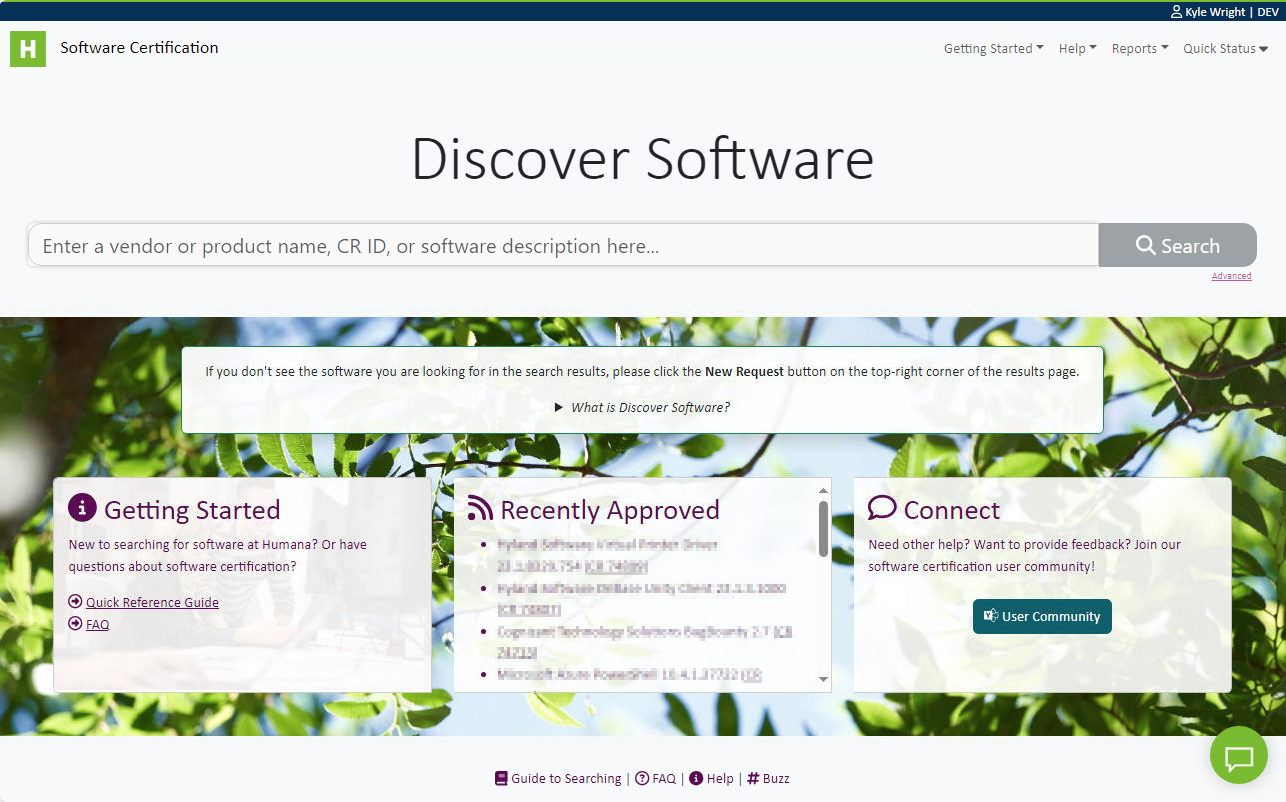
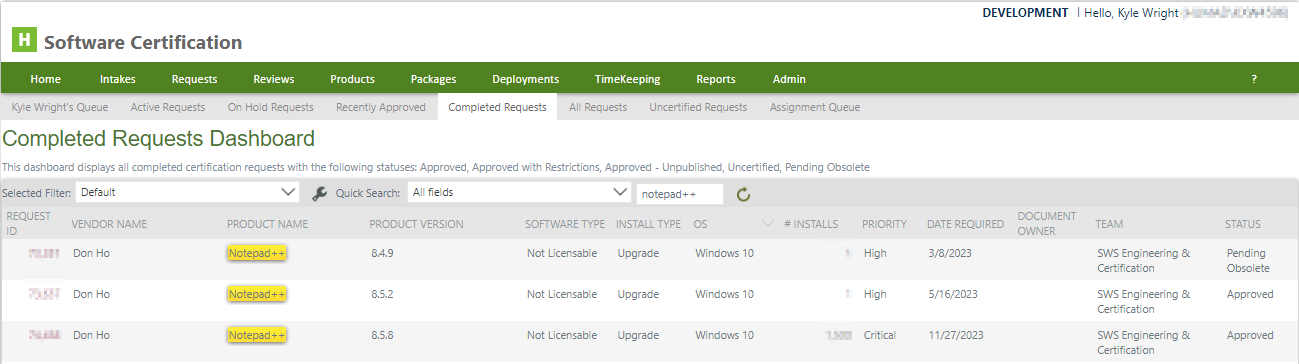
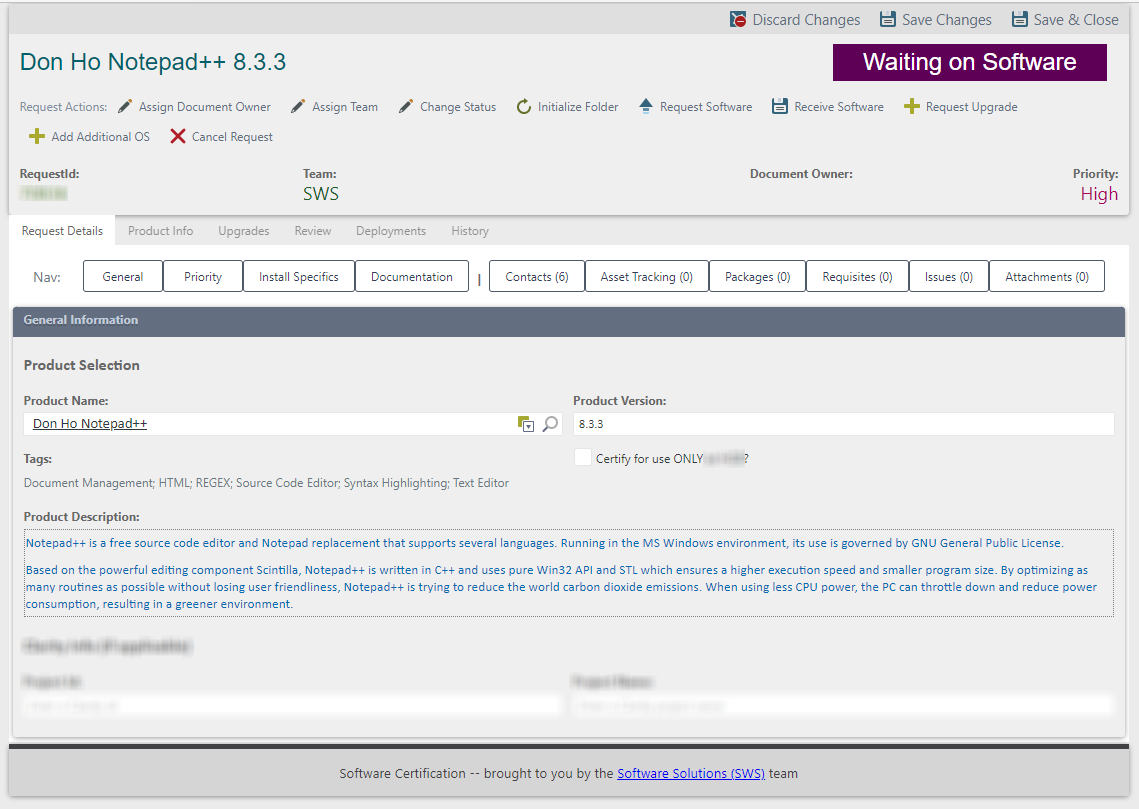
<p>An enterprise software search and self-service web application providing customized search, documentation, and automated end-user request tools. Included a conversational chatbot to better connect with customers via frequently asked question and quick reference knowledge bases.</p>
<div class="portfolio-tech-stack-wrap">
<iconify-icon icon="akar-icons:react-fill" style="color: #61dbfb;" title="React"></iconify-icon>
<iconify-icon icon="logos:bootstrap" title="Bootstrap"></iconify-icon>
<iconify-icon icon="vscode-icons:file-type-elastic" title="Elasticsearch"></iconify-icon>
<iconify-icon icon="logos:logstash" title="Logstash"></iconify-icon>
<iconify-icon icon="vscode-icons:file-type-sql" title="SQL database"></iconify-icon>
<iconify-icon icon="cib:dot-net" style="color:#512bd4;" title=".NET APIs"></iconify-icon>
<iconify-icon icon="cib:azure-devops" style="color:#008ad7;" title="Azure DevOps"></iconify-icon>
<iconify-icon icon="simple-icons:chatbot" title="Chatbot (Azure Cognitive Services)"></iconify-icon>
</div>
<h2 id="screenshots">Screenshots</h2>
<div class="portfolio-img-wrap">
<div class="row">
<div class="column">
<figure class="image">
<img id="ImgDs1" src="/assets/images/portfolio/ds-home.png" srcset="/assets/images/portfolio/ds-home.png 1253w, /assets/images/portfolio/ds-home@0,5x.png 627w" sizes="(max-width: 600px) 480px, 800px" alt=""Discover Software" intranet web app" class="portfolio-img hover-shadow" />
<figcaption>"Discover Software" intranet web app</figcaption>
</figure>
<!-- A modal for this image -->
<div id="ModalImgDs1" class="modal">
<!-- Close button -->
<span class="close" id="CloseImgDs1">×</span>
<!-- Modal Content (image) -->
<img class="modal-content" id="ImgDs1" src="/assets/images/portfolio/ds-home.png" alt=""Discover Software" intranet web app" />
<!-- Modal Caption (text) -->
<div class="modal-caption">"Discover Software" intranet web app</div>
</div>
<script type="text/javascript">
document.getElementById("ImgDs1").onclick = function(){
document.getElementById("ModalImgDs1").style.display = "block";
}
// When the user clicks on <span> (x), close the modal:
document.addEventListener('keydown', (event) => {
if (event.key === 'Escape')
document.getElementById("ModalImgDs1").style.display = "none";
})
// When the user presses escape key in modal, close the modal:
document.getElementById("CloseImgDs1").onclick = function() {
document.getElementById("ModalImgDs1").style.display = "none";
}
</script>
</div>
<div class="column">
<figure class="image">
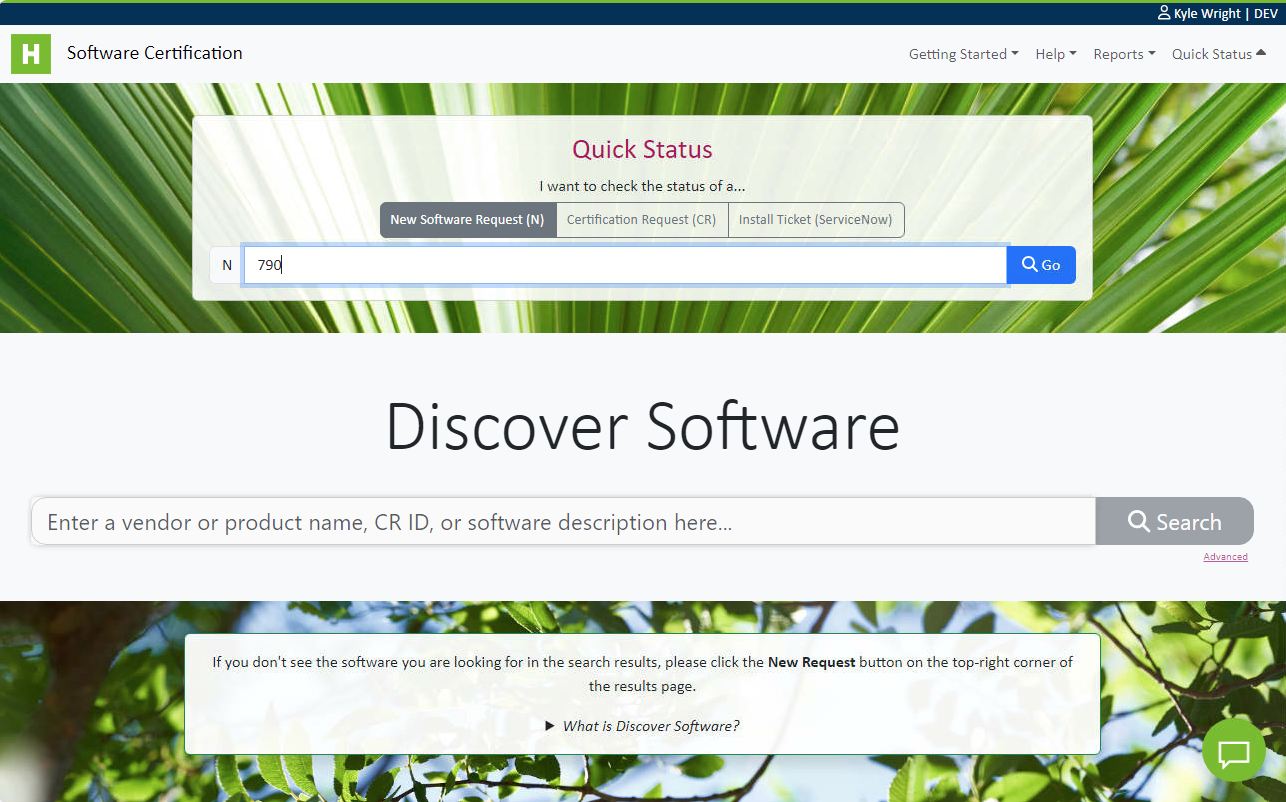
<img id="ImgDs2" src="/assets/images/portfolio/ds-home-quickstatus.png" srcset="/assets/images/portfolio/ds-home-quickstatus.png 1241w, /assets/images/portfolio/ds-home-quickstatus@0,5x.png 621w" sizes="(max-width: 600px) 480px, 800px" alt="A "Quick Status" self-service tool" class="portfolio-img hover-shadow" />
<figcaption>A "Quick Status" self-service tool</figcaption>
</figure>
<!-- A modal for this image -->
<div id="ModalImgDs2" class="modal">
<!-- Close button -->
<span class="close" id="CloseImgDs2">×</span>
<!-- Modal Content (image) -->
<img class="modal-content" id="ImgDs2" src="/assets/images/portfolio/ds-home-quickstatus.png" alt="A "Quick Status" self-service tool" />
<!-- Modal Caption (text) -->
<div class="modal-caption">A "Quick Status" self-service tool</div>
</div>
<script type="text/javascript">
document.getElementById("ImgDs2").onclick = function(){
document.getElementById("ModalImgDs2").style.display = "block";
}
// When the user clicks on <span> (x), close the modal:
document.addEventListener('keydown', (event) => {
if (event.key === 'Escape')
document.getElementById("ModalImgDs2").style.display = "none";
})
// When the user presses escape key in modal, close the modal:
document.getElementById("CloseImgDs2").onclick = function() {
document.getElementById("ModalImgDs2").style.display = "none";
}
</script>
</div>
<div class="column">
<figure class="image">
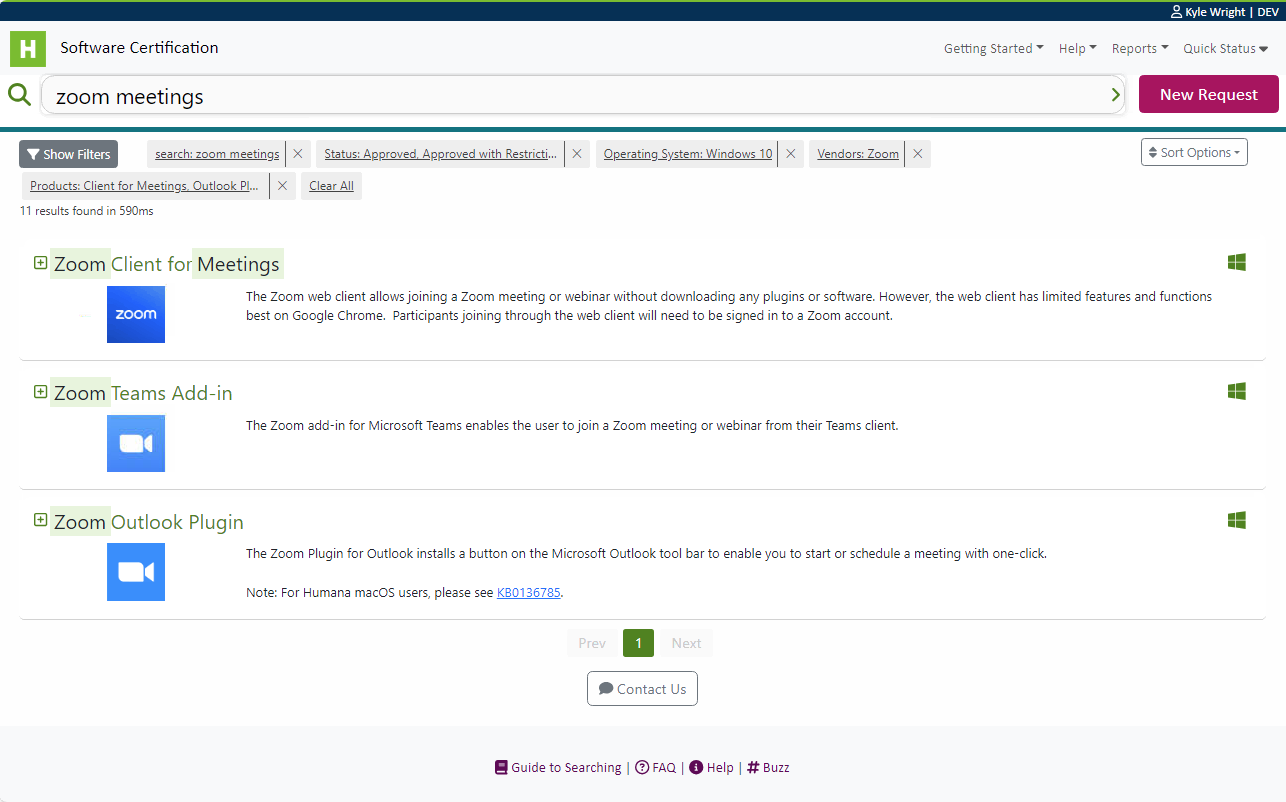
<img id="ImgDs3" src="/assets/images/portfolio/ds-results.png" srcset="/assets/images/portfolio/ds-results.png 1252w, /assets/images/portfolio/ds-results@0,5x.png 626w" sizes="(max-width: 600px) 480px, 800px" alt=""Discover Software" - search results" class="portfolio-img hover-shadow" />
<figcaption>"Discover Software" - search results</figcaption>
</figure>
<!-- A modal for this image -->
<div id="ModalImgDs3" class="modal">
<!-- Close button -->
<span class="close" id="CloseImgDs3">×</span>
<!-- Modal Content (image) -->
<img class="modal-content" id="ImgDs3" src="/assets/images/portfolio/ds-results.png" alt=""Discover Software" - search results" />
<!-- Modal Caption (text) -->
<div class="modal-caption">"Discover Software" - search results</div>
</div>
<script type="text/javascript">
document.getElementById("ImgDs3").onclick = function(){
document.getElementById("ModalImgDs3").style.display = "block";
}
// When the user clicks on <span> (x), close the modal:
document.addEventListener('keydown', (event) => {
if (event.key === 'Escape')
document.getElementById("ModalImgDs3").style.display = "none";
})
// When the user presses escape key in modal, close the modal:
document.getElementById("CloseImgDs3").onclick = function() {
document.getElementById("ModalImgDs3").style.display = "none";
}
</script>
</div>
<div class="column">
<figure class="image">
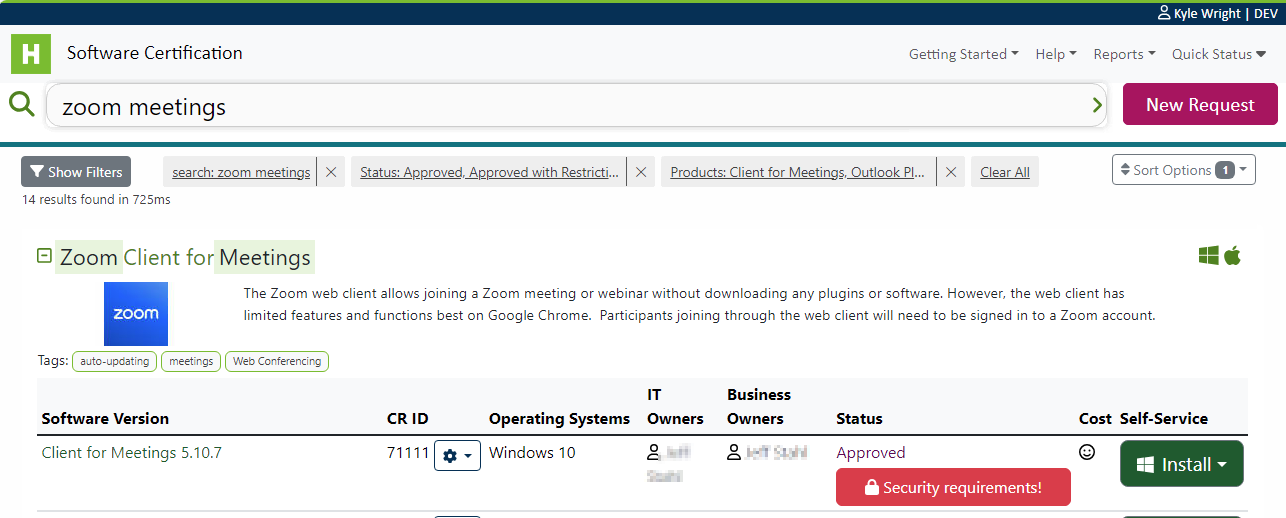
<img id="ImgDs4" src="/assets/images/portfolio/ds-result-expanded.png" srcset="/assets/images/portfolio/ds-result-expanded.png 1234w, /assets/images/portfolio/ds-result-expanded@0,5x.png 617w" sizes="(max-width: 600px) 480px, 800px" alt=""Discover Software" - expanded search result with self-service options" class="portfolio-img hover-shadow" />
<figcaption>"Discover Software" - expanded search result with self-service options</figcaption>
</figure>
<!-- A modal for this image -->
<div id="ModalImgDs4" class="modal">
<!-- Close button -->
<span class="close" id="CloseImgDs4">×</span>
<!-- Modal Content (image) -->
<img class="modal-content" id="ImgDs4" src="/assets/images/portfolio/ds-result-expanded.png" alt=""Discover Software" - expanded search result with self-service options" />
<!-- Modal Caption (text) -->
<div class="modal-caption">"Discover Software" - expanded search result with self-service options</div>
</div>
<script type="text/javascript">
document.getElementById("ImgDs4").onclick = function(){
document.getElementById("ModalImgDs4").style.display = "block";
}
// When the user clicks on <span> (x), close the modal:
document.addEventListener('keydown', (event) => {
if (event.key === 'Escape')
document.getElementById("ModalImgDs4").style.display = "none";
})
// When the user presses escape key in modal, close the modal:
document.getElementById("CloseImgDs4").onclick = function() {
document.getElementById("ModalImgDs4").style.display = "none";
}
</script>
</div>
</div>
</div>
<p><i class="fa-regular fa-circle-left"></i> <a href="/portfolio">Return to Portfolio</a></p> ]]>